SolutionsChange orders
Change order management software that updates the budget you report
A change order that never reaches the budget is a letter. Sigmaviu routes the change, then can write the approved cost to budget lines and the approved time to the project end date, once.
Project managers, cost engineers, and contract administrators.
Controls · earned value
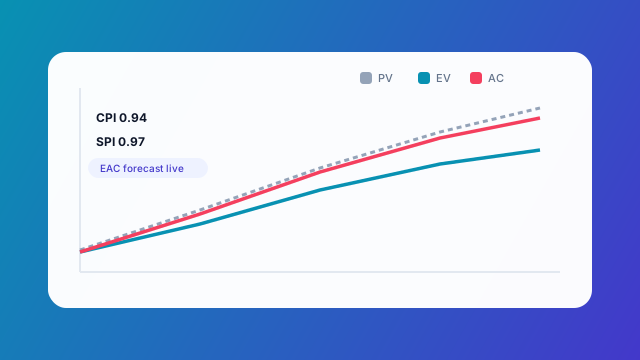
Controls snapshot
Example onlyActual vs baseline · today marked
SPI
0.96
CPI
1.02
EV
$4.2M
AC
$4.1M
What changes
01
One approval, one update
Flags remember that budget and schedule were already applied.
02
The commercial file
The change sits with submittals, RFIs, and documents on that project.
03
A portal story
Publish the client summary when the sponsor should see the new position.
Snapshot
Earned value strip
SPI / CPI style readout for a sample project
| Metric | Value | Band | Note |
|---|---|---|---|
| SPI | 0.96 | Watch | Schedule slightly behind |
| CPI | 1.02 | Healthy | Cost under EV |
| EV | $4.2M | — | Earned to date |
| AC | $4.1M | — | Actual cost |
Distribution
How Sigmaviu handles this
Routing
Send the change through the people who must accept scope, cost, and time.
Budget lines
Approved cost lands on the budget items you use for project controls.
Finish date
Approved duration moves the project end date the schedule reports against.
Preview a branded change document before you send it.
A working sequence
1
Log the change
Scope, cost, and time, with the backup files.
2
Approve
Collect the decisions in order.
3
Apply
Sync cost and schedule. The flags prevent a double post.
4
Report
Earned value and variance include the new position.
Scope
Cost and schedule sync applies to approved construction change orders in Sigmaviu. It does not post a journal entry to an external ERP.
Questions buyers ask
What if someone approves the same change twice?
The budget and schedule flags stop a second apply from adding the cost or the days again.
Does a pending change move the finish date?
No. Sync runs from the approved change.
Can the client sign it?
You can route internal approval and, separately, publish a document for portal signature when that is the commercial step you need.
Related
- Project controls softwareBaseline, earned value, variance, and approved change on the project.
- Capital project managementBaseline, earned value, change control, and asset handover for capital projects.
- Construction project management softwareSubmittals, RFIs, daily reports, punch, change orders, and closeout on the project record.